

Accounting
Your Catermonkey invoices land in sevdesk ready to go, as a draft to review and send or booked straight away. For companies in Germany.
sevdesk is the online accounting package many German businesses keep their invoices in. With the connection, every Catermonkey invoice is in sevdesk with one click. You choose how in the settings.
As a draft invoice: the invoice arrives in sevdesk as a numbered draft that you review and send from there. The customer is created in sevdesk too. Invoice date, payment term and service date (the date of your event) are already filled in, and the draft is in the language of your invoice.
As a booking: if you already sent the invoice from Catermonkey, it is booked in sevdesk under its Catermonkey number, with its PDF as the receipt, on the revenue account you choose.
Credit invoices go over as credit notes against the original invoice. Kleinunternehmer (§19 UStG) is supported, and so is VAT at 0, 7 and 19%.
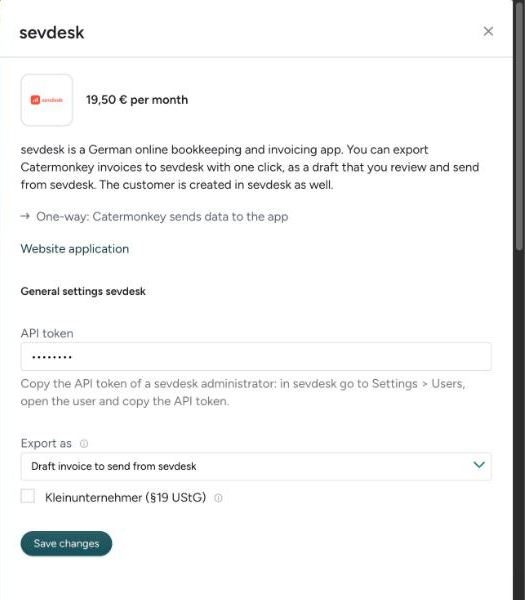
In Catermonkey, go to Settings > Connections & Integrations and choose sevdesk. Paste the API token of a sevdesk administrator, choose draft or booking (for a booking, your revenue account too), and a button appears on every invoice. The connection is available to companies in Germany. The help article walks you through it step by step.
Want to know more about sevdesk itself? Visit the sevdesk website.
Turn on the connection during your trial.